
MS Office 2013 Standard

Installation guide Office 2013 Standard
1 PC - 32 & 64 Bits

  • 1 gigahertz (GHz) or faster 32-bit (x86) or 64-bit (x64) processor
  • 1 gigabyte (GB) RAM (32 bit) or 4 GB RAM (64 bit)
  • 4 GB of available hard disk space
  • DirectX 9 graphics device with WDDM 1.0 or higher driver

Remember, the key you have purchased is a prepaid code that is not compatible with the pre-installed software. This is an original Microsoft product. Uninstall the previous version of Office that you have on your PC and restart your computer. This is important to avoid compatibility problems.

Download the program with the following download link

LANGUAGE 32 BITS 64 BITS
DEUTSCH Herunterladen Herunterladen
ENGLISH Download Download
 

This ISO file is the basis for the installation of the product.

Once the download is complete, right click on the downloaded file and choose the “Mount” option from the dropdown menu
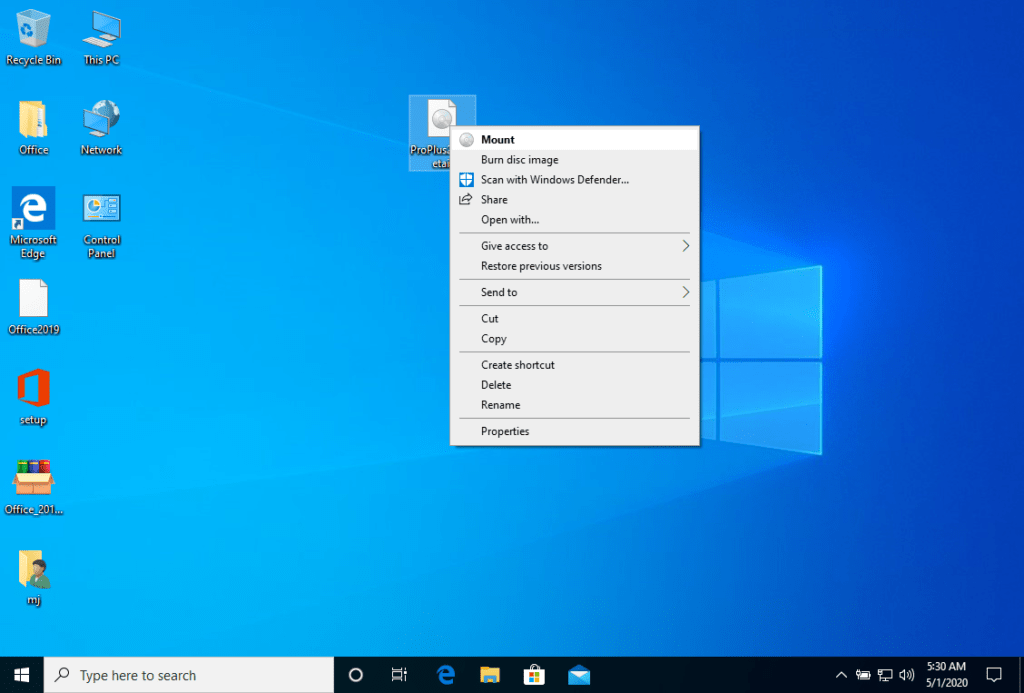

After the ISO file that you downloaded is mounted, you can access it from your Computer as a DVD drive. Here you can run the installer.

Complete the program installation and enter the “activation key” during or at the end of the process.

Once the download is complete and the installation of the program is complete, enter the activation key when running any application from the Microsoft Office package, it will be the first thing that will ask you.
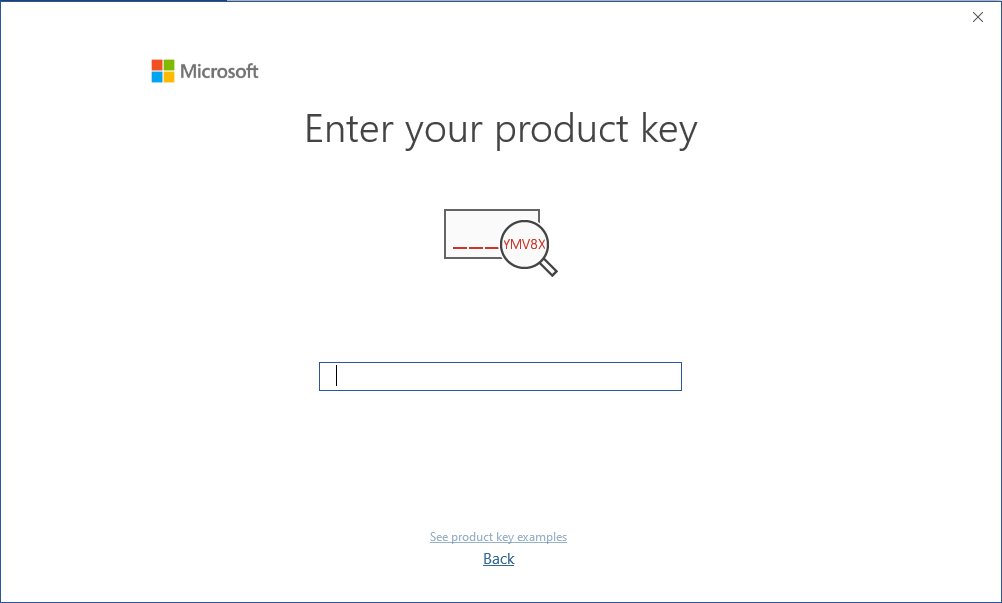

During the installation of Microsoft Office you should have been prompted to enter the product key we sent you. In the case this didnt happen please start Word, click on FIle, then on Account and enter the provided key here. If you don´t do that your purchased Office will turn into a trial version after 30 days.

The mounted image should appear on your Computer. If this does not appear (AS IN WINDOWS 7) you must use an alternative program to mount the product image, such as Remember, the key you have purchased is a prepaid code that is not compatible with the pre-installed software. This is an original Microsoft product. Uninstall the previous version of Office that you have on your PC and restart your computer. This is important to avoid compatibility problems.WinCDEmu which can be downloaded from the following link:

WinCDEmu

Use this program to create a virtual disk so that you can install your program

Microsoft has gradually phased out support for some older products. Therefore, telephone activation is no longer possible. If you have any problems or questions during the Installation, please contact our 24/7 customer service.
We wish you a successful installation. If you still have problems or questions about the installation, please contact our customer service at any time. We will help you as soon as possible.

2022 Datacenter

Installation guide Windows Server 2022 Datacenter

  • 1 gigahertz (GHz) or faster or 64-bit (x64) processor
  • 2 gigabyte (GB) RAM
  • 60 GB of available hard disk space
  • DirectX 9 graphics device with WDDM 1.0 or higher driver

Verify that you have a stable Internet connection during installation. Please follow these steps for a successful activation

If you already have a (installed) version of Windows Server 2019 as a download or on USB / DVD, first try activating this version with our product key. Make sure your version of Windows matches the Windows version of the product key. Otherwise, or in case the installation doesn’t work, continue with point 2.

Download your version of Windows Server from the following link:

Windows Server 2019 Datacenter

LANGUAGE 64 BITS
DEUTSCH Herunterladen
ENGLISH Download
FRANÇAIS Télécharger
ITALIANO Scarica
ESPAÑOL Descarga

The ISO file is the version for a permanent installation on a PC

After downloading, burn the ISO file to DVD or save it to USB. Once you boot your PC / Laptop with the DVD / Pendrive the installation program will run. Follow the guided steps of the program to complete its installation.

This supplied Microsoft installation includes a 180-day trial.

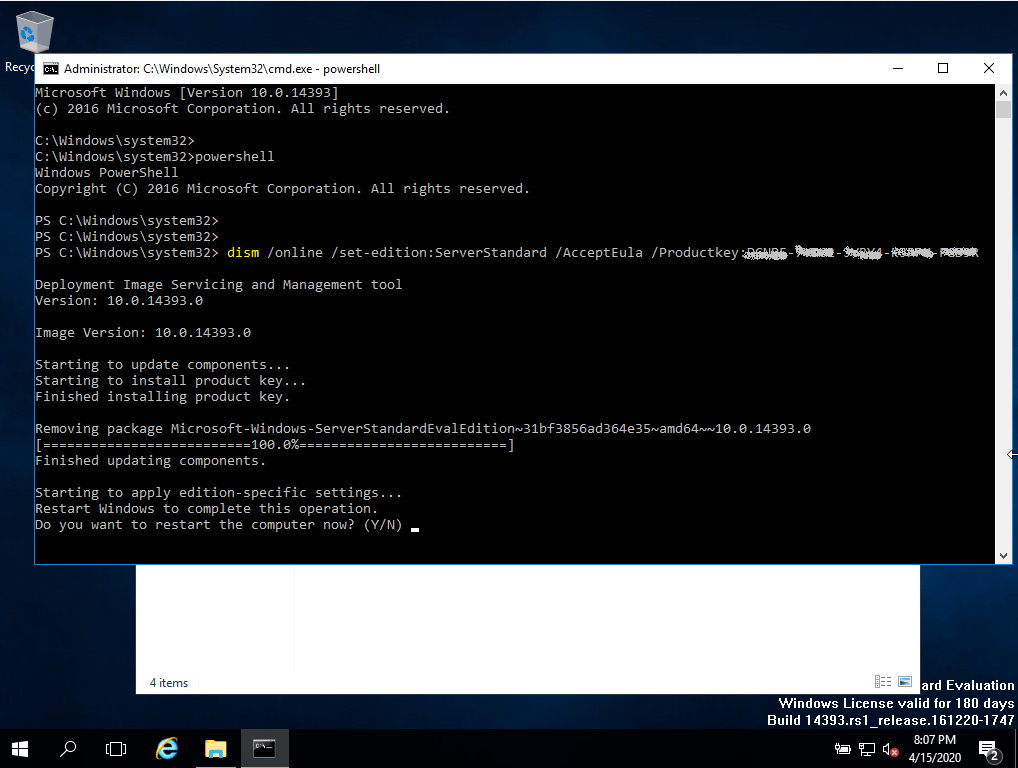
To convert to a full version, run following commands:

  • Open Powersell as Administrator.
  • In the console, enter the following command:
    DISM /Online /Set-Edition:ServerStandard /ProductKey:N69G4-B89J2-4G8F4-WWYCC-J464C /AcceptEULA
    (Initially, we use a generic key for the trial version, later we will activate the full version)
  • It will ask you to restart your computer.
  • Once rebooted, open Powershell as administrator and run the following commands:
    slmgr -ipk XXXXX-XXXXX-XXXXX-XXXXX-XXXXX
    (Replace the “X’s” with the product key you purchased)
    slmgr -ato
  • Activation will be successful.